Mail migration and backup for hosting resellers
Move mailboxes.
Keep customers.
One console for every customer move: copy, top up every night, switch, verify. Sell a nightly mailbox backup on top. Your logo on every page the customer sees.
What it does
Everything a mail move needs.
Sold under your name.
Migrations in phases, backups you can bill for, live output while it runs, and a status page that keeps the customer out of your ticket queue.
CUSTOMERS
One place per customer
Migration, backup plan, mailboxes and the status page live together.
MIGRATIONS
Four phases, no alarm clocks
A first full copy while the old server stays live. A delta every night. The final pass in the cutover window. Then every folder is counted on both sides and the customer gets a report.
BACKUPS
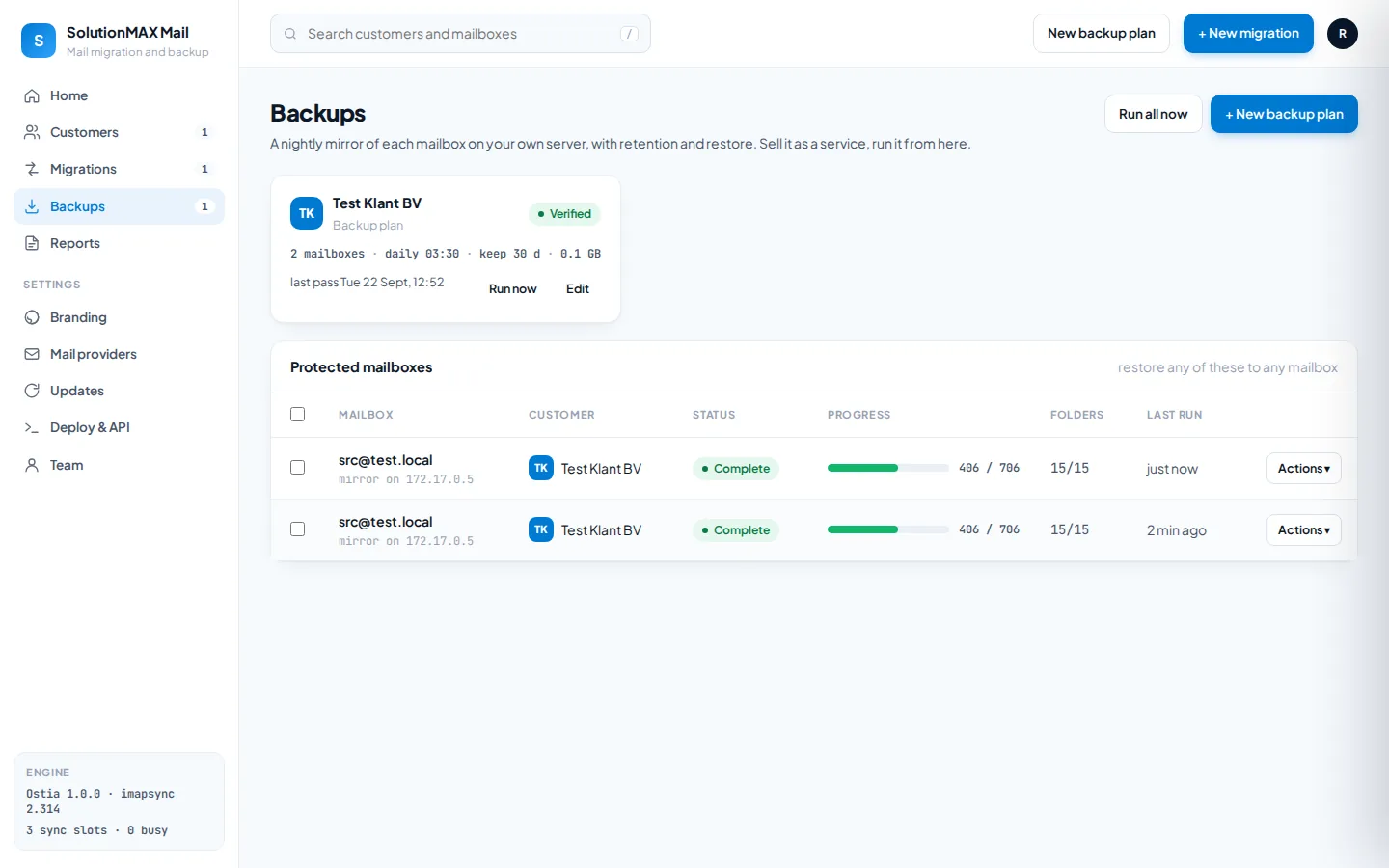
A mirror you can sell
Every night to a server you own. Retention per plan. Restore the whole mailbox, or only what is missing, to any address.
LIVE ACTIVITY
What the engine does right now
STATUS PAGES
The customer sees this, not you
Nothing changes for you until Saturday 02:00. 64% copied, nothing gets deleted.
WHITE LABEL
Your name, logo and colour
Console, status pages, reports and emails carry your brand. Hide the powered by line with one switch. Set it in the installer or in Branding.
UPDATES
Checked in the console, installed between syncs
BULK IMPORT
A whole customer from one CSV
Screens
Real screens,
real test data.
Taken from a lab install running against a throwaway mail server. Synthetic names, real imapsync runs.
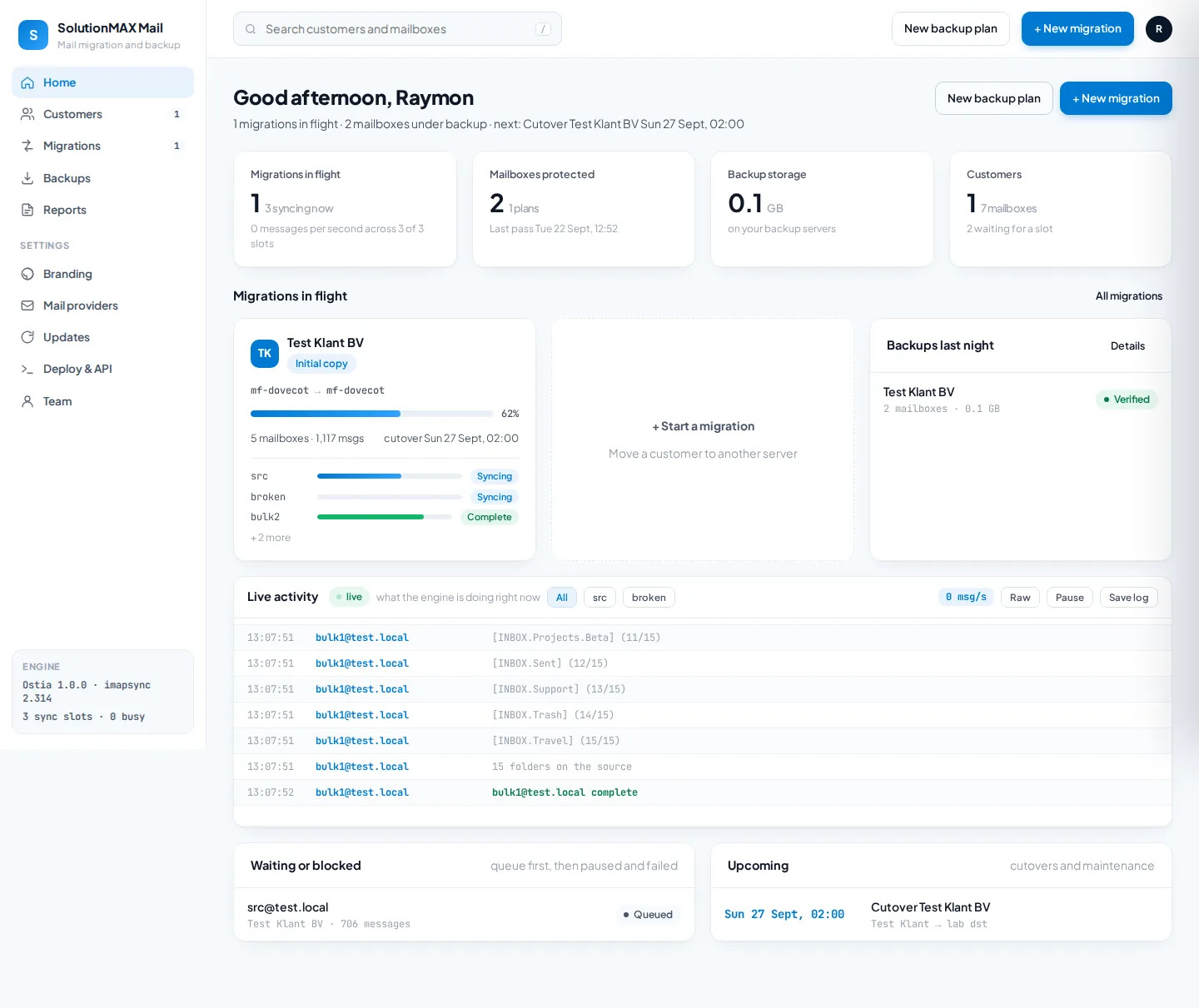
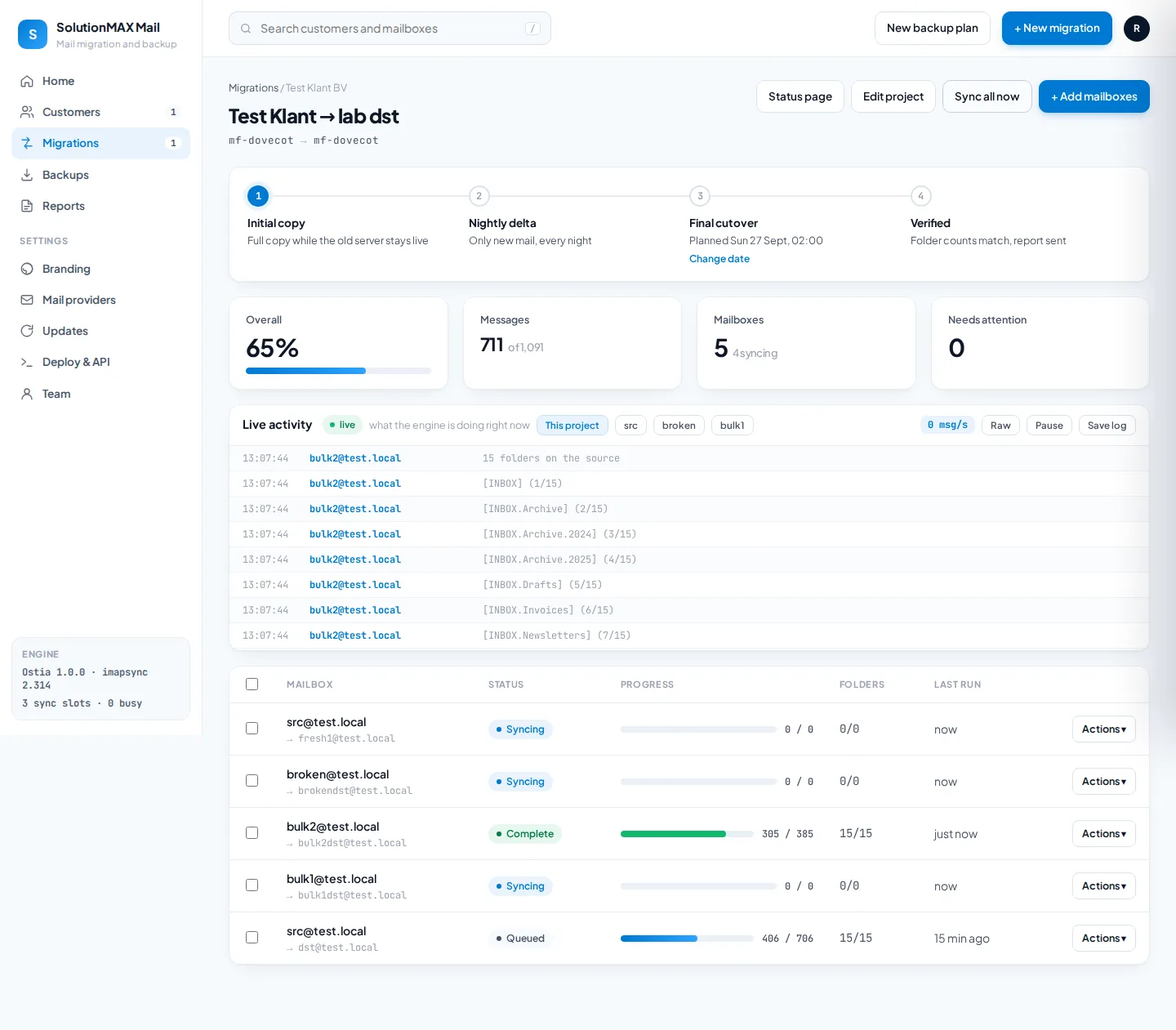
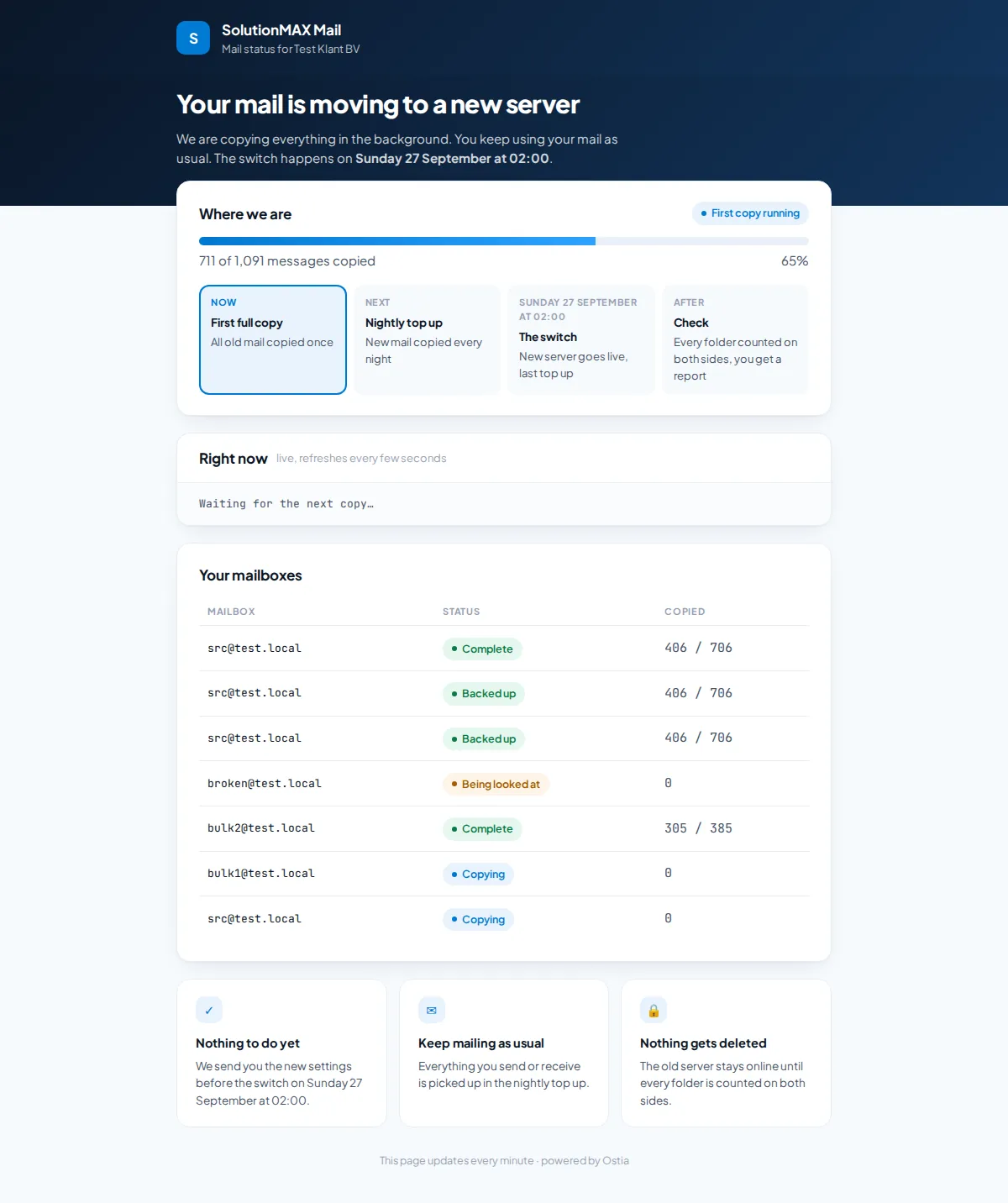
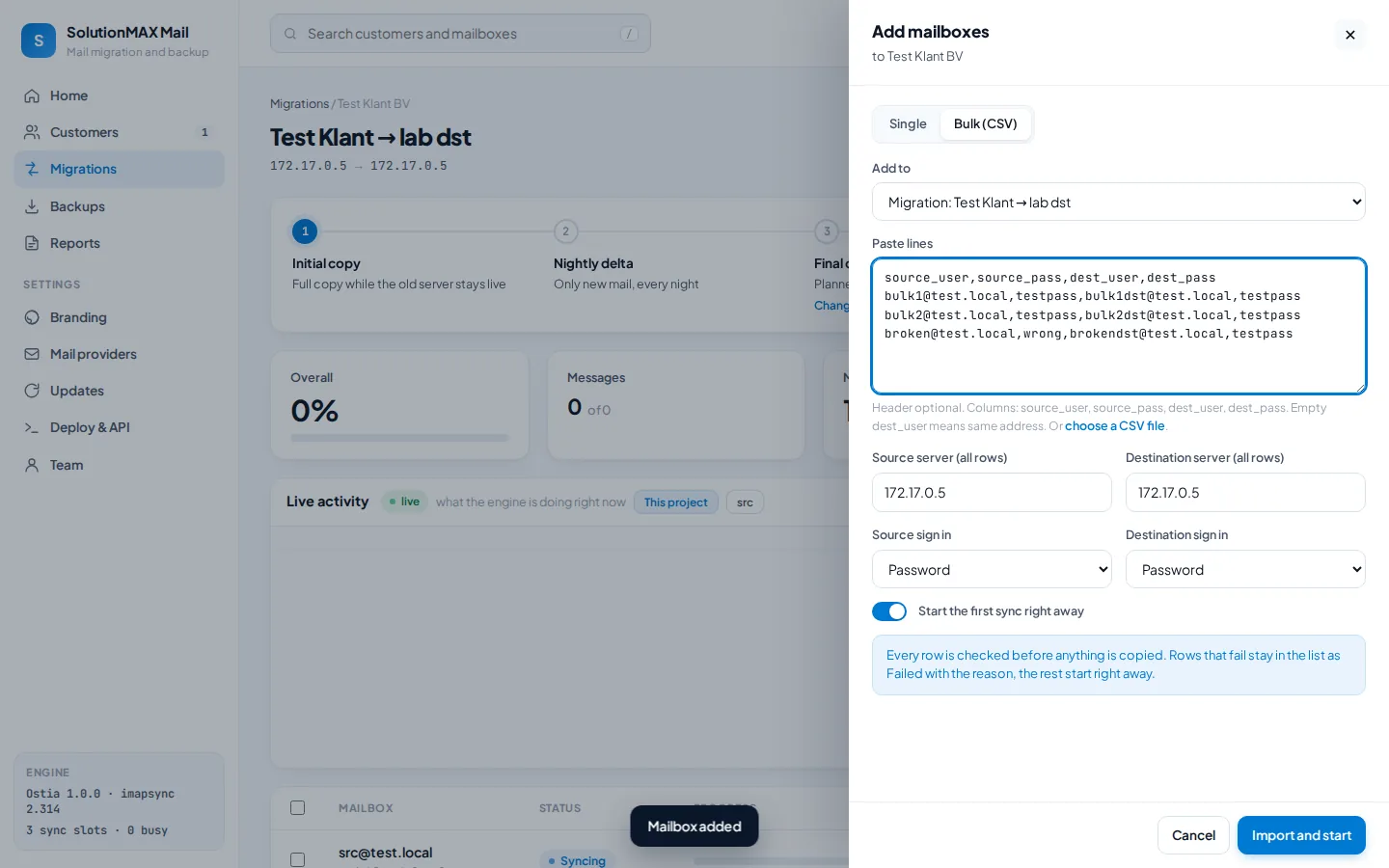
For resellers
Two services,
one console.
Ostia does the work you used to do by hand at two in the morning. What you charge for it is up to you.
Sell a migration
A fixed price per mailbox. Three passes, a cutover date the customer agreed to, and a report that proves every folder arrived.
- Any IMAP server to any other
- Microsoft 365 and Google Workspace via app registration
- Report in your name
Sell a backup
A monthly price per mailbox for a nightly mirror on a server you control. Restore in one click when a customer deletes the wrong folder.
- Retention per plan
- Verified after every pass
- Restore to any mailbox
Keep customers informed
A status link instead of a ticket. Progress, the switch date, and plain answers to the three questions they always ask.
- Read only, no credentials or logs
- Your logo, your support address
- Regenerate the link any time
Install
One command.
Your brand from the first start.
Run it on any Linux box with Docker, or without: the installer adds Docker when it is missing.
curl -fsSL https://ostia.solutionmax.net/install.sh | sh -s -- \
--brand "Your Mail" --admin you --domain mail.yourhosting.examplePrefer plain compose?
mkdir -p /opt/ostia && cd /opt/ostia
curl -fsSLO https://raw.githubusercontent.com/Solutionmax/ostia/main/docker-compose.yml
curl -fsSL https://raw.githubusercontent.com/Solutionmax/ostia/main/.env.example -o .env
# set OSTIA_KEY (openssl rand -base64 32), OSTIA_PASSWORD, OSTIA_UPDATER_TOKEN
docker compose up -d
Requirements: Linux, Docker, 1 GB RAM for three parallel syncs. Source and docs on GitHub.
Questions
Before you
install it.
Which mail servers work?
Anything that speaks IMAP: cPanel, Plesk, DirectAdmin, Dovecot, Exchange on premises, Zimbra, Kerio and the rest. Microsoft 365 and Google Workspace switched password logins off, so those two need an app registration once per tenant; Ostia stores it and every mailbox in that tenant borrows it. Their own migration tools only move mail into their own cloud and do not do backups or a move between two other servers.
Is the mail safe?
imapsync copies and never deletes on the destination unless you explicitly ask it to. Mailbox passwords are encrypted in the database and reach the engine only as a file on tmpfs that is removed when the run ends. After every migration a verification pass counts every folder on both sides, and the customer report shows the numbers.
What does it cost?
Nothing. Ostia is Apache-2.0, the whole product, including the white label branding. Support and extras may follow later.
Can my customers see it?
Each customer gets a status page: a read only link with your logo, the progress, the switch date and their mailboxes. No servers, no credentials, no logs, no other customers. Regenerate the link whenever you like.
Where does it run?
Any Linux with Docker. One image holds the console and imapsync, a small sidecar handles updates. 1 GB RAM covers three parallel syncs; raise the slot count together with the memory limit when you have more.
Ready